
Existing keywords first
Windows keywords, XMP subjects and IPTC keywords are read and combined, so an old library arrives with much of its organisation intact.
Read the keywords already in your files, add the tags that are missing, and filter the library by tag with a real count behind each one.
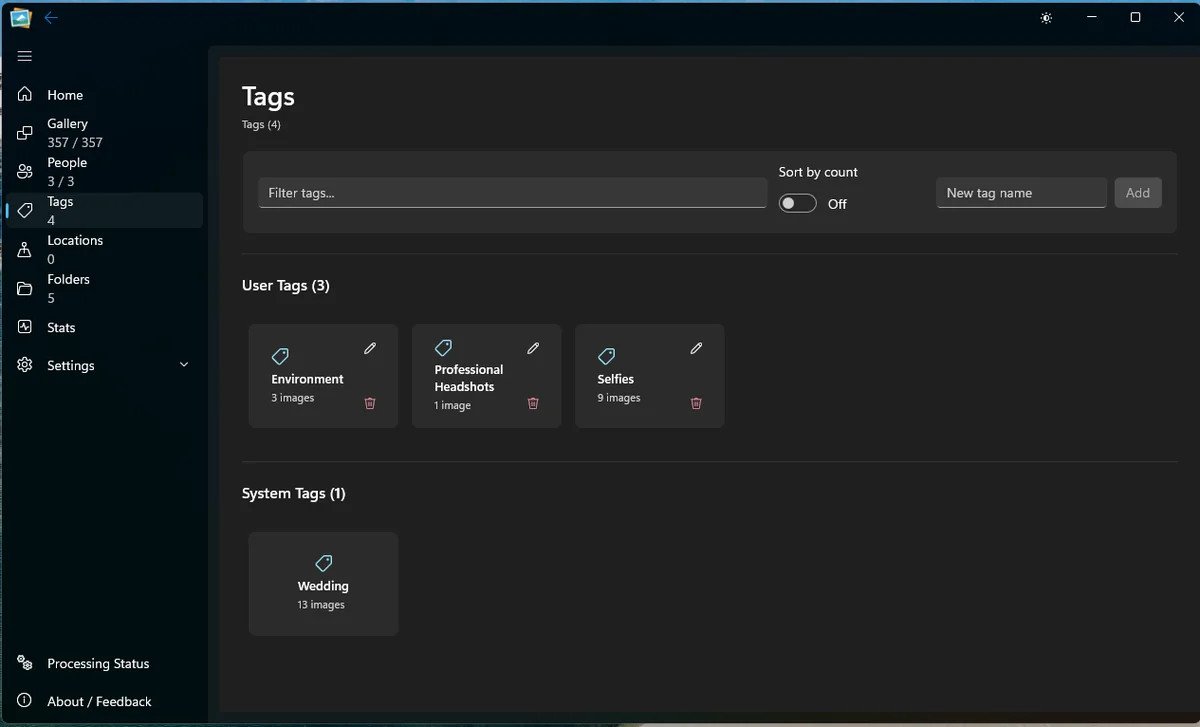
Organisation that travels
A tag is only useful if it is easy to apply and easy to trust. Live Gallery reads existing keywords, lets you add your own, and makes the count visible so you can see whether a tag is doing real work.
Windows keywords, XMP subjects and IPTC keywords are read and combined, so an old library arrives with much of its organisation intact.
Your tags sit beside folder-derived and imported tags. The Tags page shows both without hiding where they came from.
Each tag has a count, and tags can be combined with people, folders and dates in the filter surface.
The metadata pass collects keywords from the file and supported sidecars.
New tags are stored in the local database and applied to the images you choose.
Use the tag count and combine tags with other facets to narrow the library.
The honest part
Good questions
Yes, where the tags were written into the file metadata. It also reads XMP and IPTC keywords and combines them.
No. New tags live in the app database. The original file is not modified.
Picasa album names are imported as tags. The app has no separate Album entity or album page.
Keep exploring
See it on your own library
Download the free beta, point it at a folder and try this on your own photos. No account, no upload, no card.
Windows 11 · Free 5,000-photo beta · No account needed