
Cluster, then merge
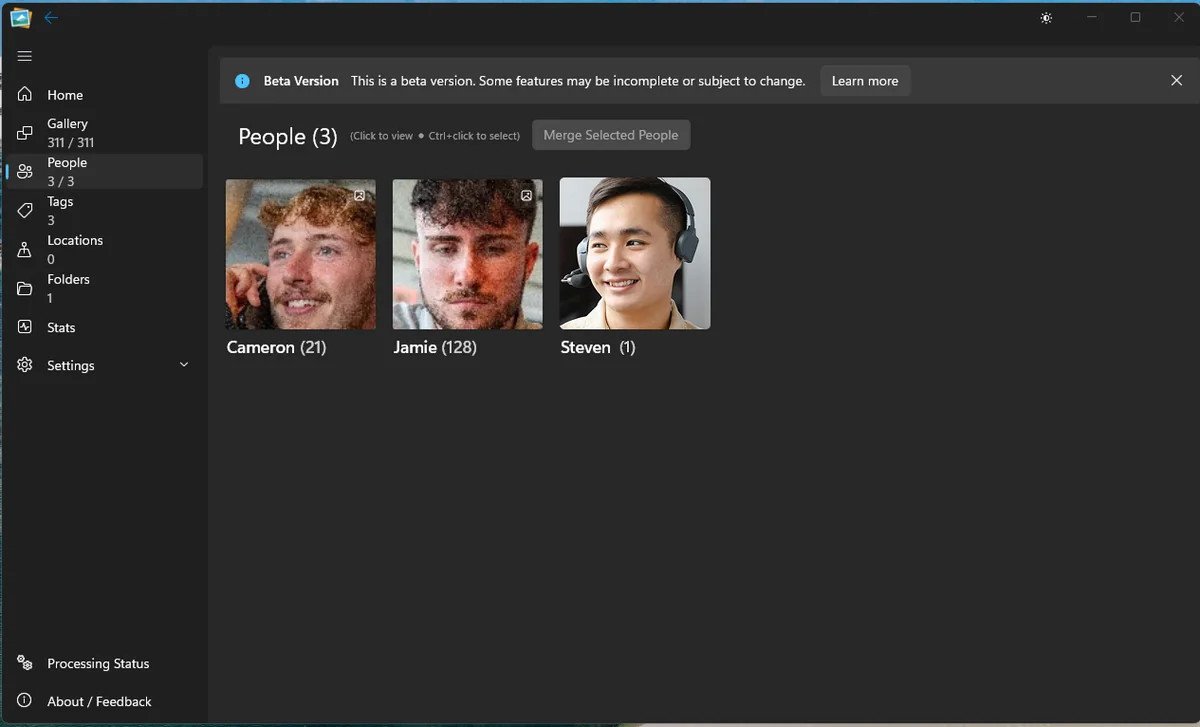
Faces are grouped into people. When the same name appears on more than one cluster, the app can merge those people instead of leaving duplicates.
Faces are clustered into people, fragments that share a name are merged, and unnamed people can be reviewed and named in bulk.
Keeping people together
Grouping is the part after detection: deciding which faces are the same person, merging duplicates that arrived in separate passes, and giving you a clear place to name the people the app does not know.
Faces are grouped into people. When the same name appears on more than one cluster, the app can merge those people instead of leaving duplicates.
The Unknown People view collects unnamed clusters so you can name several at once rather than opening each card individually.
The People page is the place to review names and merge obvious fragments. The app proposes; you decide.
The scan finds faces and stores them locally, with the image they belong to.
A precision-first grouping pass builds people from faces that are confidently similar.
Merge people sharing a name, then work through unnamed people in the bulk view.
The honest part
Good questions
It merges people that share a name where the grouping path supports it, and it offers an Unknown People surface for bulk naming. You remain in control of the names.
Yes. The People page is the correction surface: review, rename and merge as needed.
Where those names are present in the file metadata, the import can use them. It does not invent names for people it cannot match.
Keep exploring
See it on your own library
Download the free beta, point it at a folder and try this on your own photos. No account, no upload, no card.
Windows 11 · Free 5,000-photo beta · No account needed