Road to Beta: How Live Gallery Was Built
The story of how Live Gallery went from a frustrated developer on Windows XP to a free beta launch, and what it took to build a proper Picasa replacement for Windows 11.
6/25/20263 min read
I got fed up waiting.
That's the honest version of how this started. Not a lightbulb moment, not a business plan. Just a developer who'd been stuck maintaining an old Windows XP machine purely to keep Windows Live Photo Gallery running, looking at the state of photo management software in 2024 and thinking: how is there still nothing decent?
The tools that exist either push you toward cloud subscriptions, require a server in your spare room, or are so technically complex that most people give up before they've organised a single folder. The gap left by Picasa and Windows Live Photo Gallery has been open for nearly a decade. Nobody was filling it.
So I said enough, and started building my own.
Where it started
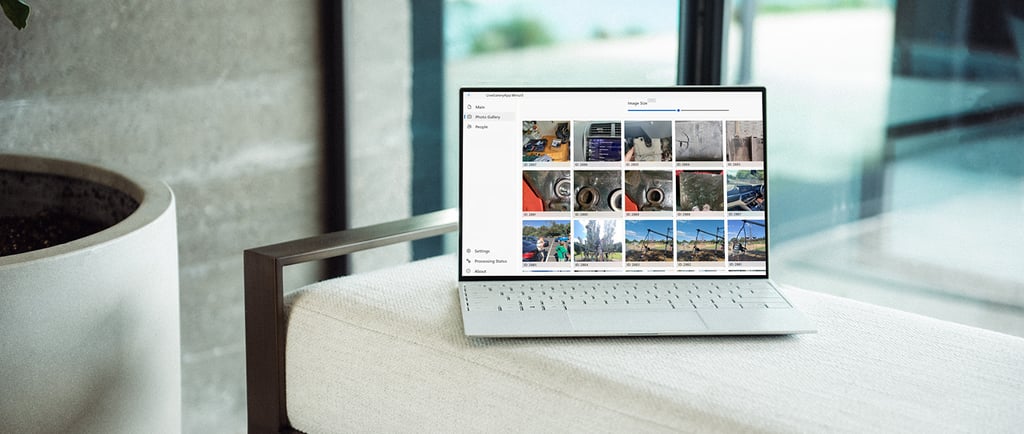
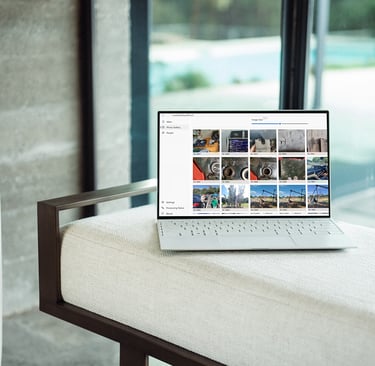
The first version of Live Gallery was a proof of concept more than a product. Built with C# and WinUI 3 for native Windows performance, the goal from day one was simple: a local, offline photo manager that felt like those classic tools but ran properly on modern hardware.
No cloud. No account. No subscription. Just install it, point it at your photos, and have it work.
I posted about it on Reddit in August 2025. The response caught me off guard. Hundreds of people signed up to a waitlist from a handful of posts, with zero marketing spend. One person wrote "need this now, take my money." Another said they had nearly two million photos in an old Picasa database that was hanging and crashing. Another just said "I am desperate."
That's when I knew this wasn't a niche problem.
What went into building it
The core features that mattered most to the people who signed up were consistent across every message: face recognition, fast browsing, offline-first, and something that didn't touch their existing files.
That last one shaped a decision I made early that I think is worth explaining.
Live Gallery is non-destructive by design. The app does not move, rename, delete, or alter any of your original photos. Ever. Your folder structure stays exactly as it is. Your files stay exactly where they are. Live Gallery builds a catalogue on top of your library without touching it, which means there's no risk of the app corrupting, reorganising, or losing images you can't get back.
For people handing over access to 20 years of family photos, that matters. It was a design principle, not an afterthought.
Face recognition took the most work to get right. Running it locally, with no internet connection, on hardware that isn't a server, at a speed that doesn't make the app feel slow, is genuinely hard. But it's done, and it works.
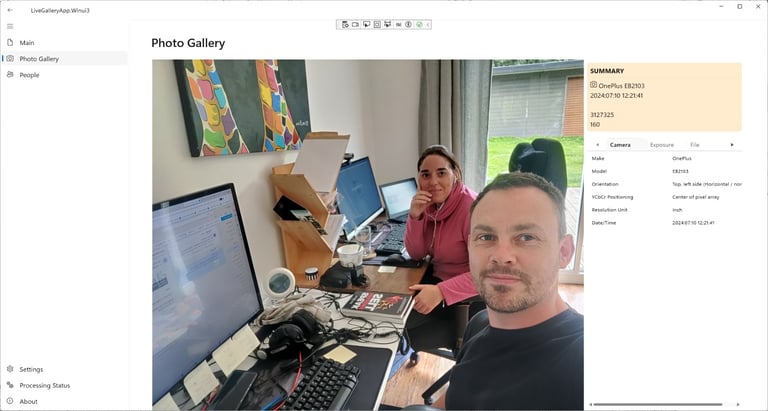
The Windows Live Photo Gallery metadata piece was another one that took time. If you tagged photos or added people's names in WLPG before Microsoft retired it, those tags and names are still sitting inside your files. Live Gallery reads them and surfaces them automatically when you first open the app. No re-tagging, no manual setup, it just comes back.
What the beta looks like
The free beta launched on June 25th, 2026. It's limited to 5,000 images, which keeps performance stable while we're still in testing. It's pre-release software, which means it's stable enough to use daily but you might hit rough edges.
We've had a lot of people asking for early access, and genuinely a lot of excitement from the Picasa and Windows Live Photo Gallery community. But plenty of people have also said they'd rather wait for the final version, and that's completely fair. The beta is for people who want to get hands-on, test it properly, and tell us what needs fixing or changing. If you'd prefer to wait for something more polished, sign up to the mailing list and we'll let you know when it's ready.
For everyone who does download it: your feedback is what shapes what gets built next. Every submission gets read. The feature list for the final release is being built around what people actually ask for, not what we assumed they wanted.
What's next
The beta is the start. The final release will support significantly larger libraries, expanded format support, duplicate detection, and more editing tools. Pricing options are coming, including a free tier for smaller libraries and paid tiers for people with collections that go well beyond 5,000 images.
The Product Hunt launch is planned for later in the year, once we've had enough beta feedback to know the product is genuinely ready for a wider audience.
For now, it's free. Download it, point it at your photos, and let us know what you think.
Organise your photos with
ease and privacy.
© 2026 Live Gallery App. All rights reserved.
Menu
Useful Links