
What Is Digital Asset Management? A Guide for Large Photo Libraries
Digital asset management isn't just for enterprise teams. Here's what DAM actually means, and how it applies to a large personal photo library.
7/28/20263 min read


If you've got a photo library that's outgrown a simple folder structure, you've probably come across the term "digital asset management," usually shortened to DAM. It sounds like enterprise software built for marketing teams and stock photo libraries. For a lot of people, it actually is exactly what they need, just not in the form they'd expect.
Here's what DAM actually means, and when a photo library needs one.
What digital asset management actually means
At its simplest, digital asset management is a system for organising, tagging, and finding files, usually images, based on metadata rather than just folder location. Instead of remembering that a photo is in "2019 > Summer > Beach Trip," a proper DAM system lets you search by date, location, person, keyword, or format and find it instantly, regardless of which folder it happens to sit in.
Traditionally, DAM software was built for businesses: marketing teams managing thousands of brand assets, stock photography libraries, agencies handling client deliverables. It's typically expensive, complex, and built around collaborative, multi-user workflows.
Why the term matters for personal photo libraries too
Strip away the enterprise pricing and the collaboration features, and the core problem DAM software solves is exactly the same problem a large personal photo library has. Once you're past a few thousand photos, folders stop being a usable system. You can't remember which folder something's in. You can't search by who's in the photo. Finding anything specific becomes a genuine chore.
That's a digital asset management problem, whether you're a marketing team or a parent with 80,000 family photos on an external drive.

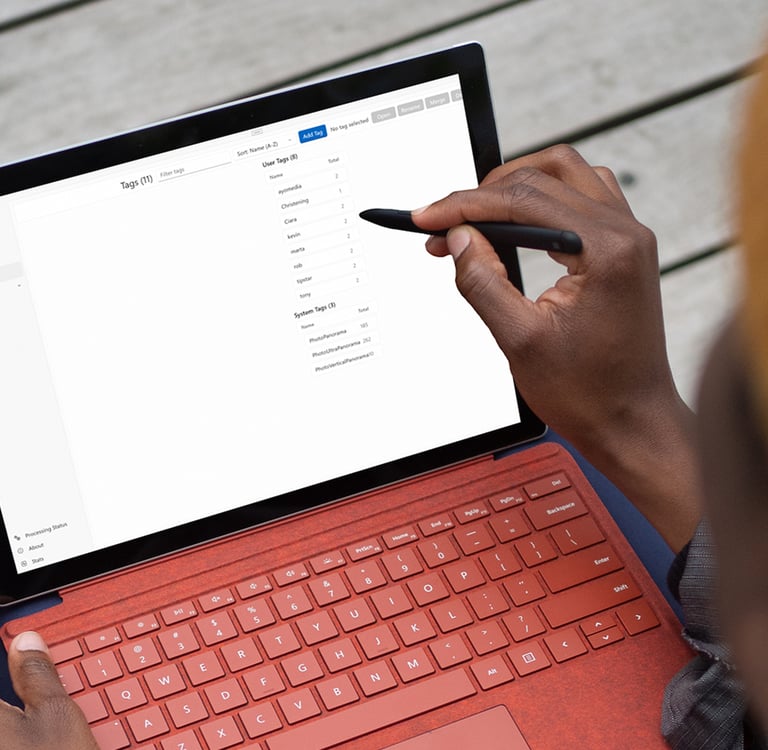
Signs you've outgrown folder-based organisation
A few reliable signs that what you actually need is proper DAM-style organisation, not just more folders:
You can't find a specific photo without scrolling through hundreds of thumbnails.
You've got the same event duplicated across multiple folders because you weren't sure where it belonged.
You want to find "every photo of a specific person" and the honest answer is you have no idea how you'd do that quickly.
Your library spans multiple drives, devices, or backups, and you're not entirely sure what's where anymore.
If any of that sounds familiar, folder structure isn't the problem. The lack of a proper cataloguing layer is.
What proper DAM-style features actually look like
The features that matter for a personal or prosumer library are simpler than what enterprise DAM software offers, but they're built on the same principles:
Metadata-based search. Finding photos by date, tag, keyword, or person, not by remembering a folder path.
Non-destructive cataloguing. Your original files and folder structure stay untouched. The system builds an index on top, it doesn't reorganise your drive for you.
Face recognition. The single most useful search filter for a personal library, letting you group and find photos by who's in them.
Format-agnostic indexing. RAW, JPEG, HEIC, and everything else catalogued together as one searchable library, not siloed by file type.
Multi-source support. A library spread across an internal drive, an external archive, and a NAS should still behave as one collection.
Where cloud services fall short here
Google Photos and iCloud do offer some searchability, but they come with the trade-offs already well covered elsewhere: monthly subscriptions, your photos processed on someone else's servers, and storage limits that force an upgrade eventually. They're consumer products built for convenience, not proper asset management.
Professional DAM software, meanwhile, is often priced and built for teams, not individuals managing a personal or semi-professional library.
The gap in the middle, proper cataloguing and search without enterprise pricing or cloud dependency, is real, and it's largely unaddressed for personal use.


A local-first approach to DAM
Live Gallery applies DAM principles to a personal photo library without the enterprise complexity or the cloud dependency. Everything runs locally: metadata-based search, local face recognition, non-destructive cataloguing, and support for a full range of formats from RAW to HEIC, all indexed together as one searchable library, regardless of which drive or folder a photo actually lives in.
No fee to get started, no upload, no server. Just a proper cataloguing layer sitting on top of the files you already have.
Live Gallery is currently in free public beta.
Organise your photos with
ease and privacy.
© 2026 Live Gallery App. All rights reserved.


Menu
Useful Links