
Why Windows Live Photo Gallery Face Tags Don't Always Match
A user-submitted bug report revealed why some Windows Live Photo Gallery face tags weren't carrying over correctly. Here's the technical fix, going out in Beta 2.
7/23/20262 min read

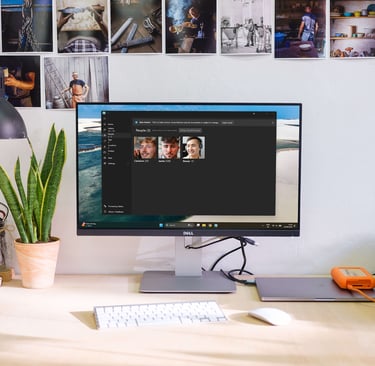
The problem
Live Gallery reads face tags directly from Windows Live Photo Gallery metadata, so if you spent years naming people in WLPG, that work should carry straight over when you open Live Gallery for the first time.
Mostly, it did. But we started getting reports of a strange pattern: in some photos with multiple faces, only one name would come through correctly. The others would appear untagged, even though the same photo had clearly been fully tagged in WLPG originally.
One user sent us the exact photo causing the issue. That photo turned out to be the key to understanding what was actually going wrong.
What was actually happening
Old software like Windows Live Photo Gallery draws a fairly tight box around a face, roughly from the eyebrows down to the chin. Our new face detection draws a slightly looser box, one that includes more of the forehead and a bit of surrounding space.
We were deciding whether two boxes belonged to the same face by measuring how much they overlapped. That works fine when both boxes are a similar size. But when one box is noticeably smaller than the other, like a tight WLPG box next to a looser modern one, the overlap percentage drops even if the face is perfectly centred in both.
In the photo we were sent, three of the four faces were dead centre in both boxes. But because the box sizes didn't match closely enough, our old logic decided they weren't the same face and left the name off.
The fix
Instead of measuring overlap area, we now check how close the centre points of the two boxes are, relative to the size of the face itself. If the centres line up closely, it's treated as the same person, regardless of whether the box around it is tight or loose.
That one change fixed all four faces in the photo that flagged the issue. It's going out in Beta 2, along with a batch of other fixes that came directly from feedback over the last couple of weeks.


Why this matters beyond one bug
If you've got years of people's names tagged in Windows Live Photo Gallery, this is exactly the kind of detail that determines whether that work actually survives the move to something new, or quietly gets lost in translation.
It's also a decent example of what a beta is actually for. Internal testing couldn't have caught this one easily, it needed a real photo, from a real library, tagged the way actual users tag their photos over years, not in a lab. One person sending over a single image fixed something that would have quietly affected a lot of libraries.
If you've got old WLPG tags and you notice something not matching up correctly, we want to see it. Screenshots and sample photos are the fastest way to find and fix these edge cases.
Organise your photos with
ease and privacy.
© 2026 Live Gallery App. All rights reserved.


Menu
Useful Links